Scheduling a Backup with the MSS
To Schedule a Backup
- Using CygNet Explorer, select the MSS from the service hierarchy.
- Right-click in the service pane on the Tasks page, select the Set Info Keyword Task task.
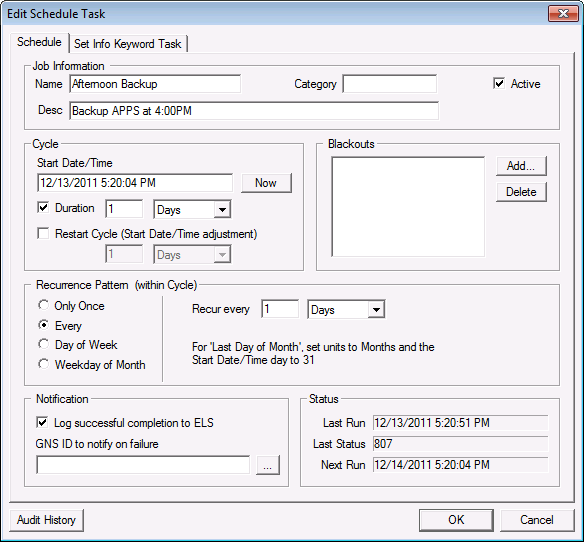
- On the Schedule page, define the schedule properties including the task identifier, cycle information, blackouts, and logging. See Schedule Properties.
|
Schedule page |
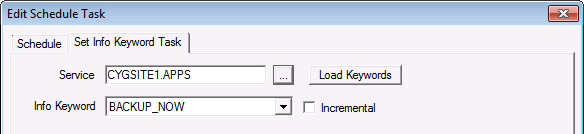
- On the Set Info Keyword Task page, select the service for which you want to schedule an on-demand backup.
- Select BACKUP_NOW from the Info Keyword list.
Note: A backup task will need to be configured for each service that would be scheduled with the MSS. The MSS name that a service will accept backup tasks from must be specified in the MSS keyword in the service’s configuration file.
- Click Load Keywords to refresh the list of keywords. If the service is a VHS, it will also include the VHS_START_JOURNAL keyword.
- Select Incremental if you want to schedule an incremental backup.
|
Edit Schedule Task Dialog Box |